
The best online team building events are short, easy to join and built around one clear goal, such as helping new colleagues talk, getting a regional team to solve problems together, or giving a hybrid group a shared moment. Pick a format that fits your group size and time zones, test the technology beforehand, make it accessible to everyone, and plan an in-person session for the Singapore-based part of the team when you can. This guide walks through each step.
TL;DR
- Match the format to the goal: quick games for energy, trivia or creative sessions for connection, collaborative challenges for problem-solving.
- Keep it low-pressure and simple to explain. Dispersed teams do best with options that work across time zones, including chat-based or asynchronous formats.
- Plan accessibility from the start: captions, readable visuals and a recording for people who cannot attend live.
- Online events keep remote bonds alive, but teams that share a city gain a lot from meeting in person. We run in-person programs in Singapore for that part of the job.
- Budget by group size and host type, and ask each provider for a written per-person quote.
Table of Contents
- What online team building events are for
- Types of virtual employee events
- Online team building games for work: what to look for
- How to choose an event for your goals, group size and time zones
- Technology, preparation and accessibility
- Large, international and CSR-focused groups
- What online team building costs in Singapore
- Where in-person fits: a blended plan for Singapore teams
- Our perspective: connect online, bond in person
- Plan your next team session with us
- FAQ
- Sources
What online team building events are for
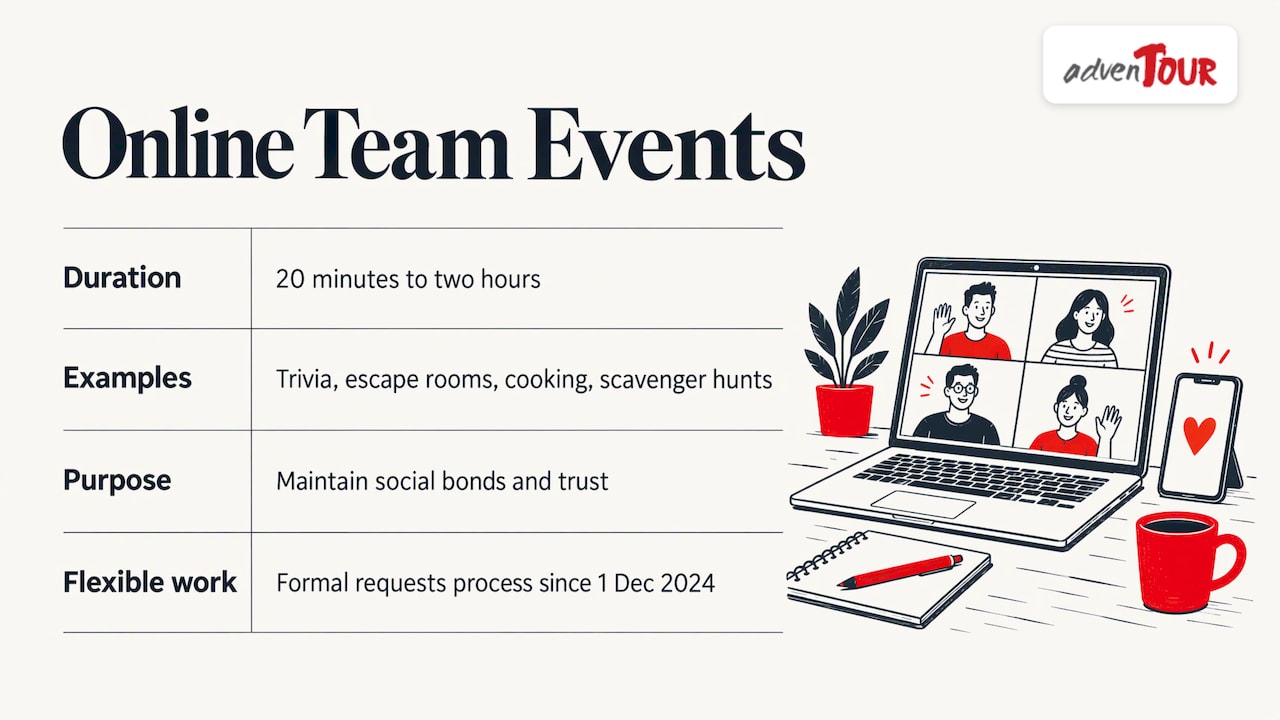
An online team building event is a facilitated or self-run activity that colleagues join through a video call or a chat tool. It can last 20 minutes or two hours. Typical examples include trivia, virtual escape rooms, drawing games, cooking or mixology sessions and online scavenger hunts.
The reason to run them is practical. Research on remote work notes that dispersed teams need deliberate efforts, including virtual social events, to maintain social bonds and trust. Without the hallway chat and shared lunches of an office, those bonds do not form by themselves.
In Singapore, the need is growing for another reason. Since 1 December 2024, the Tripartite Guidelines on Flexible Work Arrangement Requests have required employers to handle formal flexible work requests under a set process. More teams now have people working from home on some days, which makes it harder to find a time when everyone is together.
Types of virtual employee events
It helps to sort events by what they do for the team, not by the platform they run on.
| Event type | Best for | Typical length | Group size |
|---|---|---|---|
| Quick games (trivia, word games, “guess the photo”) | Starting meetings with energy, new joiners | 15 to 30 min | 5 to 50 |
| Creative sessions (drawing, crafts, storytelling) | Relaxed connection, mixed-seniority teams | 45 to 60 min | 8 to 30 |
| Hosted experiences (cooking, mixology, game shows) | Rewarding a team, celebrations | 60 to 90 min | 10 to 100+ |
| Collaborative challenges (virtual escape rooms, online scavenger hunts) | Problem-solving, cross-team mixing | 45 to 90 min | 6 to 40, in small groups |
| Ongoing habits (virtual coffee chats, shared channels, pet or book threads) | Steady, low-effort connection | Minutes per week | Any |
| Skills-based workshops (communication styles, feedback, decision-making) | Working relationships, onboarding | 90 min to half day | 10 to 40 |
A single event rarely changes how a team works. A rhythm does: a monthly hosted session, a weekly five-minute opener, and one larger moment each quarter.
Online team building games for work: what to look for
The games that survive in real workplaces share a few traits. Geekbot’s guidance is to prefer games that are easy to join, low-pressure, simple to explain and inclusive across time zones. It suggests asynchronous or chat-based options when teams are spread across regions. That matches what most HR leaders see in practice.
A few ideas that fit those traits:
- Two truths and a lie, in a team channel. Everyone posts over a day. No scheduling needed.
- Photo prompts. “Your desk view” or “the best meal this week.” Takes two minutes and shows people’s lives.
- Live trivia built around your own company. Questions about product history, office locations or team in-jokes work better than generic quizzes.
- Small-group breakouts with one shared task. Four to six people rebuild a story, rank items or solve a puzzle, then report back.
- Virtual scavenger hunt. Each person fetches an object from home that fits a theme.
Games that tend to flop: anything that requires forced personal disclosure, long rules, or a performance in front of 40 colleagues.
How to choose an event for your goals, group size and time zones
Work through these five questions before you book anything.
1. What should be different afterwards?
Name one outcome. “New joiners know three people outside their team” is a good goal. “Better morale” is too vague to design for. The outcome decides the format: connection calls for creative or social sessions, collaboration calls for challenges, and communication calls for a workshop.
2. How many people, and in how many rooms?
Under 12 people, run one group. Between 12 and 50, split into breakout teams of four to six, each with a facilitator or a clear task card. Above 50, use a host with a show format, such as a game show or live quiz, and let people play in teams through chat or polls.
3. Which time zones?
For a team spanning Singapore, India and Europe, no live slot suits everyone. Rotate the time so the same people do not always join at 10 pm. Or run one live session plus an asynchronous version, with a recording for those who miss it.
4. How long?
Video fatigue is real. Keep live events to 30 to 60 minutes unless the format is genuinely hands-on, such as cooking. Schedule inside working hours so that attendance does not become unpaid overtime.
5. Who runs it?
A team member can host a quick game. For anything larger than 20 people, or with senior leaders involved, a trained facilitator keeps pace and makes sure quieter people get a turn.
Technology, preparation and accessibility
Most online events that fall flat do so because of preventable setup problems. A short checklist helps.
Before the event
- Send the link, the agenda and any materials at least two working days ahead.
- Confirm that the platform your company allows can handle breakout rooms and the group size.
- Do a ten-minute test with the host and one volunteer.
- Tell people what to prepare, such as a household object or a drink, and keep it optional.
During the event
- Open five minutes early with music or a simple question in chat.
- State the rules in one sentence and demonstrate once.
- Keep a backup plan if the main tool fails, such as a phone number or a chat thread.
Accessibility
Build this in before you send the invitation. SG Enable’s E-accessibility Playbook for Digital Inclusion points to WCAG as a key resource for judging digital accessibility, and lists captions, transcripts and text alternatives as measures. It also suggests sign language interpretation for webinars and sufficient colour contrast in graphics.
In practice, that means:
- Turn on live captions. For example, Microsoft Teams offers live captions and meeting recordings, which also helps colleagues who join in a noisy space or in a second language.
- Use high-contrast slides and avoid games that depend on colour alone.
- Offer a text-based way to take part, such as chat answers, for anyone who prefers not to speak or cannot.
- Share the recording and a short written summary afterwards.
- Ask about access needs in the invitation, and act on the answers.
Large, international and CSR-focused groups
Scale changes the design. A few points matter most.
Language. Regional teams in Singapore often include people who work in several languages. For hybrid events, AI tools can produce multilingual assets quickly and at scale, though human reviewers and interpreters remain important for meaning, tone and context. For a team game, that means translating instructions and prompts ahead of time and checking them with a native speaker.
Mixed locations. Put people from different offices in the same breakout team. The point is to cross boundaries, not to reinforce them.
Shared kit. A small parcel for every participant makes a remote event feel like an event. Branded apparel works well, and for custom orders you can look at corporate T-shirt printing in Singapore when planning matching team shirts for a mixed online and in-person day.
CSR. Giving back works well in a hybrid format: remote colleagues can join a fundraising quiz or a skills-based volunteering call while the Singapore group does a hands-on activity together. Keep one shared moment, such as a closing call, so that everyone sees the combined result.
What online team building costs in Singapore
Online pricing varies widely and depends on the host, the format, the group size and any parcels or materials. A DIY game with an internal host costs nothing but time. A professionally hosted session is usually quoted per person or as a flat fee for a group. We do not publish online prices, so we will not guess at a figure. Ask any provider for a written quote that states:
- the price per participant and the minimum group size,
- how long the session runs and how many facilitators attend,
- whether materials, parcels and platform fees are included,
- what happens if the group size changes.
For in-person programs, our published per-person prices are given below, so you can compare the two budgets side by side.
Where in-person fits: a blended plan for Singapore teams
Online events are good for keeping a dispersed team connected between meetings. For colleagues who share a city, an in-person session adds things a screen cannot: physical teamwork, shared laughter and natural conversation before and after. A blended calendar often works well:
- Monthly: a 30-minute online game or creative session for the whole team.
- Quarterly: a 60 to 90 minute hosted online event with breakout teams.
- Once or twice a year: an in-person program for everyone based in Singapore, with remote colleagues joining the closing call.
Our programs are designed to turn activity into skill transfer, with objectives agreed up front. The published per-person prices are:
| Tier | Examples | Price per person |
|---|---|---|
| Budget-friendly | Kinball, Bloop Bubble Soccer, Combat Skirmish Laser Tag, App-based Amazing Race, Bicycle Scavenger Hunt | $35 to $55 |
| Quality | Amazing Race ($65 to $78), Running Man Challenge ($72 to $82), Modified DISC Workshop ($70 to $82), Garden Odyssey ($68 to $90), Laser Clay Shooting (from $69) | $65 to $90 |
| Premium | Office Dynamics Workshop ($80 to $90), Cultural Food Immersion ($82 to $98), Office Shark Tank (from $92), Corporate Sailing ($125), DISC Personality Profiling ($150 to $159) | $80 to $159 |
For teams that want a hybrid-friendly event, the app-based Amazing Race and the DISC-based workshops are popular starting points for in-person days, and our facilitators can discuss how to link them to your online calendar.
Our perspective: connect online, bond in person
We see the same pattern with many HR leaders and event planners: a team runs a few online events, attendance drops, and someone concludes that team building does not work. The problem is rarely the idea. It is a mismatch between the goal and the format.
Online events are excellent for keeping people in the habit of talking to each other. Where we add value is the moment a team stands in the same place and has to solve something together. Laughing during a laser tag round or arguing over a route in an Amazing Race does more for working relationships than a dozen video calls.
That is why we design programs around an objective, such as communication, trust or cross-team collaboration, and scale them to the group size and budget. We want participants to leave with something they can use on Monday, not only a pleasant afternoon.
If you run a mixed team, treat online and in-person as two parts of one plan. Keep the online part light and frequent. Make the in-person part count.
Joshua
Plan your next team session with us
If your Singapore team is ready to meet in person, we design and run programs for groups from small teams to large regional gatherings, with options at budget, quality and premium levels.
See our program tiers and prices, or visit AdvenTOUR to tell us your goal and group size. We will suggest a format and a written quote.
FAQ
How long should an online team building event be?
Most work well between 30 and 60 minutes. Longer sessions suit hands-on formats such as cooking, but attention drops on video calls. Schedule within working hours so that people do not feel it is extra work.
What works best for a team spread across time zones?
Choose games that are simple, low-pressure and can be played asynchronously, for example in a chat channel over a day. For live sessions, rotate the time so the same region does not always take the inconvenient slot, and record it for those who miss it.
How do I make an online event accessible?
Turn on live captions, use high-contrast visuals, offer a text-based way to take part and share a recording afterwards. Ask about access needs in the invitation. SG Enable’s playbook on digital accessibility is a good reference for your internal checklist.
Can online events replace in-person team building?
They do different jobs. Online events keep dispersed colleagues in touch regularly, while in-person programs build deeper working relationships among people who share a location. Most Singapore teams do best with a mix of both.
Sources
- Understanding the Impact of Remote Work on Team Dynamics
- Tripartite Guidelines on Flexible Work Arrangement Requests (TAFEP)
- Remote & Virtual Team Building: Fun Games For Work (Geekbot)
- E-accessibility Playbook for Digital Inclusion (SG Enable)
- Microsoft Teams video conferencing
- The Role of AI in Translating Hybrid Events for Regional Audiences
Recommended
- Corporate Team Building Activities: What Works
- Corporate Team Building Singapore: Engage Your Team
- Employee Engagement & Team Bonding Guide
- Creative Team Building Ideas for Small Groups That Inspire